
Here’s a step-by-step guide on how I created my free website using GitHub Pages and Visual Studio Code (VS Code). Follow these instructions to build your own!
Start by creating a folder on your computer where you’ll store all the files for your website. For example, name it my_blog. This folder will hold your HTML, CSS, JavaScript, and any other assets needed for your site.
Download and install Visual Studio Code, a free and user-friendly code editor. Once installed, open VS Code and attach your folder:
my_blog).Before setting up your GitHub repository, make sure you have Git installed on your computer. Git is a version control system that helps you manage your code and collaborate with others.
Download Git from the official website here!git --version GitHub allows you to store and manage your code online, which is a lifesaver should you accidentally delete your code locally or mess up all your code trying to fix one bug.
GitHub is also essential for managing and hosting your website.
my_blog), and choose Public so you can enable Github Pages for your website later.Use your terminal to link your local folder to the GitHub repository:
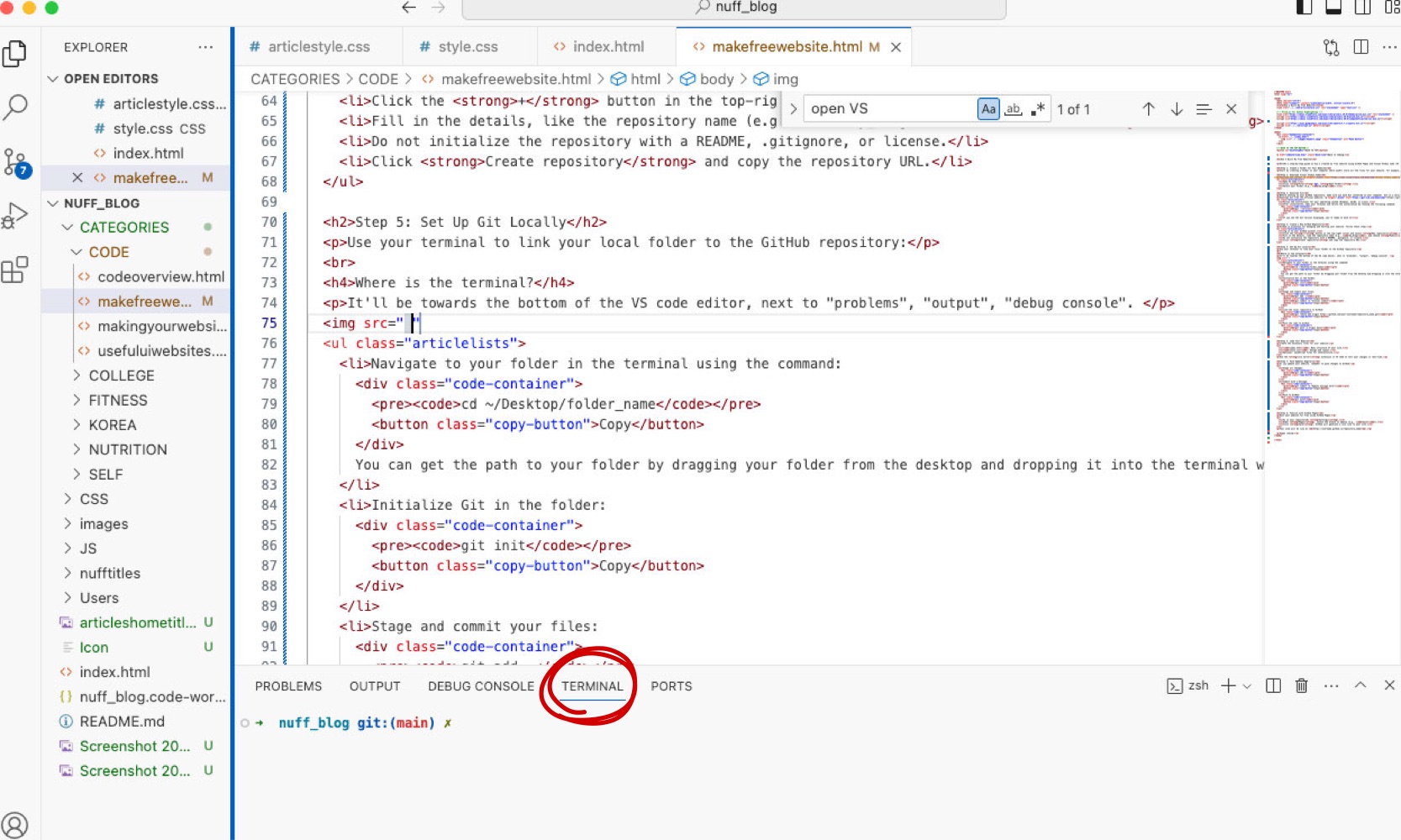
It'll be towards the bottom of the VS code editor, next to "problems", "output", "debug console".
cd ~/Desktop/folder_namegit initgit add .git commit -m "Initial commit"git remote add origin https://github.com/your-username/repository_name.gitgit push -u origin mainCreate the necessary files for your website:
index.html: Main structure of your site.style.css: Design and layout.Download the Live Server extension in VS Code so you can view your code changes in real time. This allows you to test and preview your website locally before pushing updates to GitHub.
For more detailed guidance, check out this article: How to Use Live Server in Visual Studio Code.
As you code, remember to push the changes to GitHub to update your website:
git add *git commit -m "Update message here"git pushHost your website for free using GitHub Pages:
main).Your site will be live at https://username.github.io/repository_name.
Happy coding!